Allow or block a device, for now or for good
Every row in the device list has three actions: Allow, Block, and Reject. Each asks how long the decision should last.
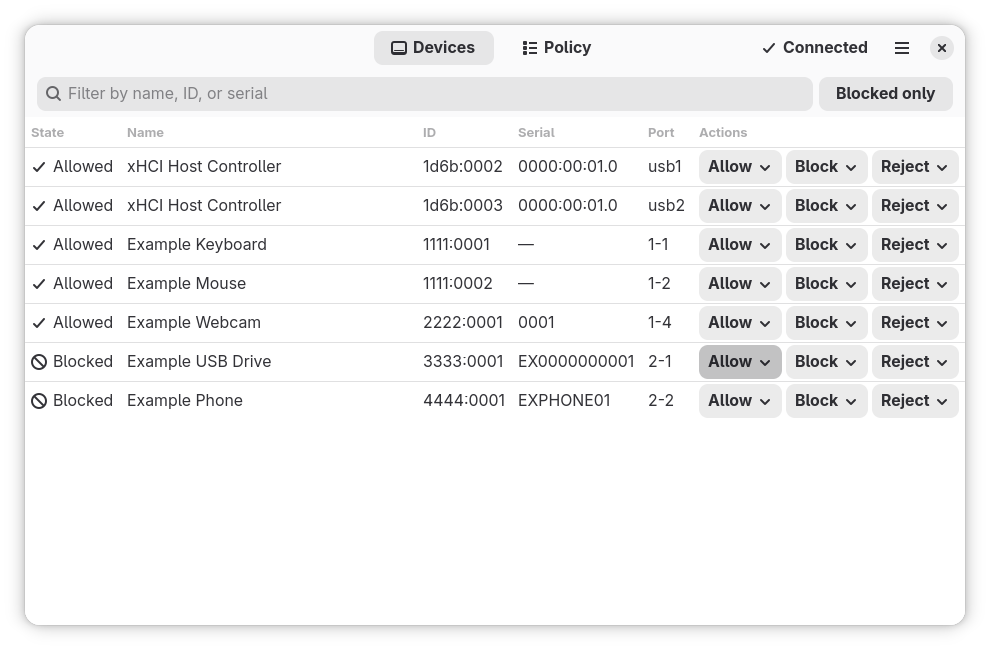
| Choice | What USBGuard does | After USBGuard restarts |
|---|---|---|
| This session only | Changes the device's state in memory. | The policy applies again. |
| Permanently | Writes a rule for this device to the policy. | The rule still applies. |
This session only is preselected, because the less destructive choice is the one whose effect disappears. To change the preselection: Main menu → Preferences → Preselected choice for device actions.
- Block keeps the device connected but unusable.
- Reject removes it from the system; it can only be used again after it is unplugged and plugged back in. The program asks for confirmation first.
Each action asks for the administrator password unless your system is configured otherwise (see Change policy with your own password). While the prompt is open, the row shows a spinner and Cancel. After 20 seconds it says Waiting for authentication; after three minutes it suggests that no Polkit agent may be running — but it never gives up on its own, because a slow agent and a person fetching a password look the same.
Cancel stops waiting, not USBGuard
If you cancel after entering the password, USBGuard may already have made the change. The list always shows what USBGuard reports, so check the row after cancelling.