USBGuardGUI
A desktop interface for USBGuard: see which USB devices are connected, allow or block them, and edit the policy — without root.
Quickstart Guide How-To Guides GitHub Repository
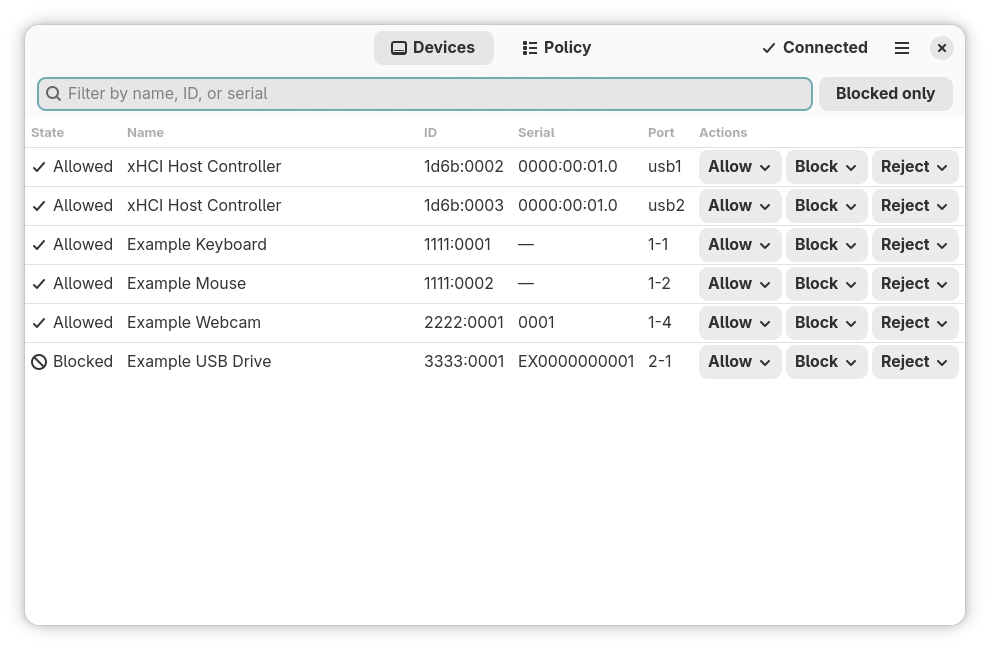
USBGuardGUI is a front end
The protection comes from the USBGuard daemon, which decides what the kernel lets through. This program asks it — with your authorization — to change its mind. Without USBGuard installed and running there is nothing for it to protect you with.
It needs USBGuard's D-Bus bridge
The program reaches USBGuard only through its D-Bus bridge, usbguard-dbus. Debian, Ubuntu,
and Arch ship it inside the usbguard package; Fedora and RHEL ship it separately as
usbguard-dbus. If it is missing, usbguard-gui --diagnose says so and prints the install
command for your distribution.
Core Features
-
No privileges of its own
No setuid bit, no helper daemon, no privileged code path. Every change is made by the USBGuard daemon on its own authority, after Polkit has asked you for a password.
-
Failures are diagnosed, not reported
Eight distinct failure states — bridge missing, bridge stopped, refused by the bus policy, by Polkit, by USBGuard's own access control, no Polkit agent, and more — each with its specific remedy. Available headless as
usbguard-gui --diagnose. -
Safe by default
Every device action asks: this session only, or permanently? The preselection is the one whose effect disappears when USBGuard restarts. Rejecting a device asks for confirmation.
-
Rules removed by identity, not by number
USBGuard rule numbers shift whenever the ruleset changes. Rules are held by their text and re-resolved just before removal, so a rule deleted from another terminal is reported as gone instead of a different rule being removed.
-
Announces new devices
A notification when a device that is not authorized is plugged in, with an Allow for this session button — also while the window is closed, if you choose.
-
Hostile device names are just text
Device names come from the device itself. The rule parser treats them as untrusted bytes, is fuzzed, and escapes them on the way back, so a crafted name cannot become rule syntax.
Documentation Map
This site follows the Diátaxis framework:
| Section | Answers | Read it when |
|---|---|---|
| Tutorials | "Teach me the basics." | You are new. |
| How-To Guides | "How do I solve X?" | You have a specific goal. |
| Explanation | "Why is it built this way?" | You want to understand. |
| Reference | "What are the exact options?" | You need precise detail. |
Project Status
The current version is 0.1.1. Packages for Debian and Ubuntu, Fedora, and Arch, and a Flatpak bundle, are on the releases page; the quickstart shows how to install them. See the changelog and the roadmap.
Security policy and vulnerability reporting: SECURITY.md.